JavaScript/jQuery Form - GroupItem
This article describes configuration properties of a group form item.
A group form item is a section consisting of a caption and child form items. You can customize the layout properties for each group separately.
See Also
alignItemLabels
Specifies whether or not all group item labels are aligned.
colCount
The count of columns in the group layout.
For extra small screens, this property always equals 1 to make the UI component adaptive. Specify the colCountByScreen property to override this logic.
jQuery
$(function() {
    $("#formContainer").dxForm({
        // ...
        items: [{
            itemType: "group",
            items: [ ... ],
            colCountByScreen: {
                xs: 2
            }
        },
        // ...
        ]
    });
});
Angular
<dx-form ... >
    <dxi-item
        itemType="group"
        [items]="[ ... ]">
        <dxo-col-count-by-screen [xs]="2"></dxo-col-count-by-screen>
    </dxi-item>
</dx-form>
import { DxFormModule } from "devextreme-angular";
// ...
export class AppComponent {
    // ...
}
@NgModule({
    imports: [
        // ...
        DxFormModule
    ],
    // ...
})
See Also
colCountByScreen
Specifies the relation between the screen size qualifier and the number of columns in the grouped layout.
jQuery
$(function() {
    $("#formContainer").dxForm({
        // ...
        items: [{
            itemType: "group",
            items: [ ... ],
            colCountByScreen: {
                xs: 2,
                sm: 3
            }
        },
        // ...
        ]
    });
});
Angular
<dx-form ... >
    <dxi-item itemType="group">
        <dxo-col-count-by-screen
            [xs]="2"
            [sm]="3">
        </dxo-col-count-by-screen>
        <dxi-item ... ></dxi-item>
    </dxi-item>
</dx-form>
import { BrowserModule } from '@angular/platform-browser';
import { NgModule } from '@angular/core';
import { AppComponent } from './app.component';

import { DxFormModule } from 'devextreme-angular';

@NgModule({
    declarations: [
        AppComponent
    ],
    imports: [
        BrowserModule,
        DxFormModule
    ],
    bootstrap: [AppComponent]
})
export class AppModule { }
colSpan
Specifies the number of columns spanned by the item.
See Also
component
An alias for the template property specified in React. Accepts a custom component. Refer to Using a Custom Component for more information.
cssClass
Specifies a CSS class to be applied to the form item.
In Form, you can customize the appearance of form items using CSS styles. To apply a style to an item, implement a CSS class, which may contain various properties, and assign the name of this class to the cssClass property of the item.
items
Holds an array of form items displayed within the group.
Array<Simple Form Item | Group Form Item | Tabbed Form Item | Empty Form Item | Button Form Item>
Like the items property of the Form UI component, the array passed to the items field of a group item can hold items of the following types.
Simple
A standard item consisting of a label and an editor UI component used to specify a value of the associated data field.Group
An item representing a container of other form items.Tabbed
An item representing a tabbed container of other form items.Empty
An empty item used to add a space between neighboring items.
itemType
Specifies the item's type. Set it to "group" to create a group item.
See Also
name
Specifies a name that identifies the form item.
Use the name to access the form item in methods like itemOption(id).
render
An alias for the template property specified in React. Accepts a rendering function. Refer to Using a Rendering Function for more information.
template
A template to be used for rendering a group item.
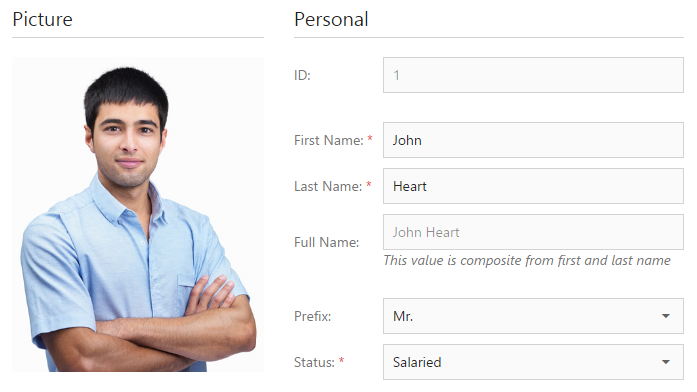
Use the template property of a group item to display custom content under a group caption, for instance an image. To specify a custom template for items contained in a group, define the template property of each of these items.
See Also

 Select one or more answers