Angular TreeList - headerFilter
Configures the header filter feature.
A header filter allows a user to filter values in an individual column by including or excluding them from the applied filter. A click on a header filter icon invokes a popup menu with all unique values in the column. By selecting or clearing the selection of values in this menu, the user includes or excludes them from the filter.
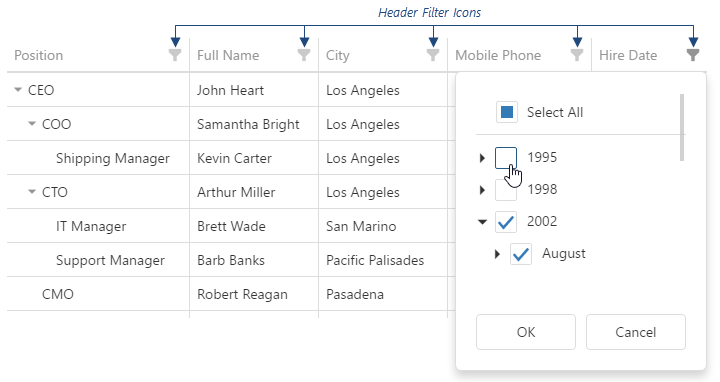
To make header filter icons visible, assign true to the headerFilter.visible option. Data in the popup menu can be customized using the headerFilter option of a specific column.
See Also
allowSearch
Specifies whether searching is enabled in the header filter.
height
Specifies the height of the popup menu that contains values for filtering.
searchTimeout
Specifies a delay in milliseconds between when a user finishes typing in the header filter's search panel, and when the search is executed.

 Select one or more answers